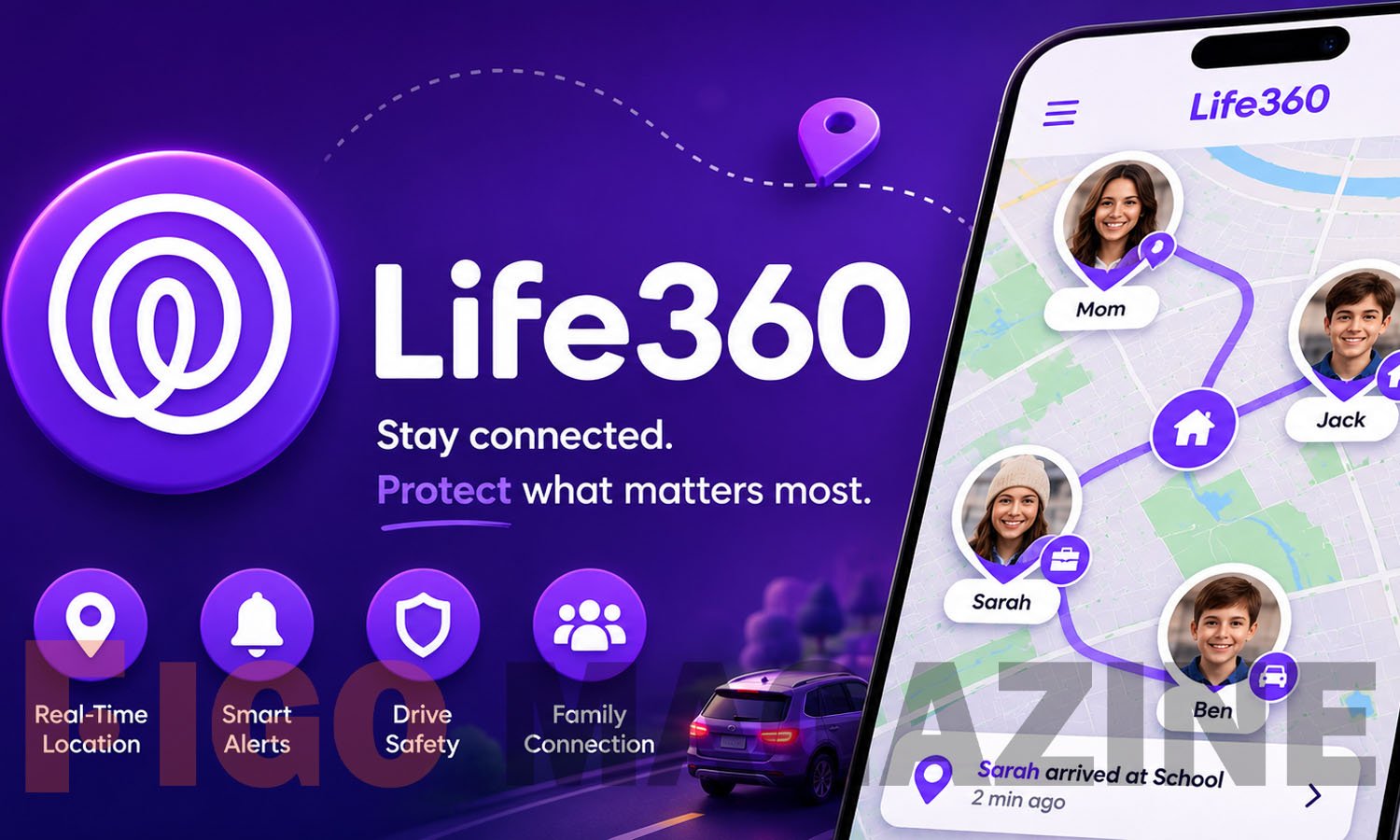
Life360 has become one of the most widely used family safety apps in the United States, with more than 66 million people across the globe relying on it to stay connected with the people and things they care about most. Instead of sending a string of “where are you?” texts, families use Life360 to see real-time location on a shared map, set up alerts for key places, and respond quickly when something feels off. This article breaks down how Life360 works, what it actually tracks, its pricing tiers, and the privacy questions every household should consider before signing up.
What Is Life360 and How Does It Work
Life360 is a location-sharing app available on Android, iOS, and Windows that organizes family members, friends, or roommates into a private group called a “Circle.” Once everyone joins the same Circle, they can see each other’s live location on a shared map, receive notifications when someone arrives at or leaves a chosen spot, and message the group directly inside the app. The app pulls location data from a mix of GPS and the phone’s cellular signal, which is why accuracy can shift depending on where someone is standing.
Setting up a Circle takes only a few minutes. One person creates the group, invites others by phone number or email, and each invitee downloads the app and agrees to share their location. Users can belong to more than one Circle at a time, so a person might have a separate group for their immediate family, their partner, and a close circle of friends.
Core Features That Make Life360 Useful
The app’s main draw is live location sharing, which shows where each Circle member is at any given moment, along with their direction of travel and approximate speed. Members can turn off their own live tracking at any time or create a temporary bubble that obscures their exact location, giving users some control over how visible they are.
Beyond the live map, Life360 includes geofencing, often called “Places,” which sends an alert whenever someone arrives at or leaves a saved location such as home, school, or work. The app also provides directions to reach other group members and keeps a location history, with paid plans unlocking a longer history window. Driving reports track stats like speed and routes taken, and the app flags risky behavior such as texting or opening other apps while driving, which makes it a popular tool for parents of new teen drivers.
Life360 Membership Plans and Pricing
Life360 offers a free version supported by ads, plus three paid tiers that unlock deeper safety features. The Silver plan includes two Places with unlimited alerts, two days of location history, crash detection, a family driving summary, data breach alerts, and SOS help alerts during emergencies.
The Gold plan builds on Silver with 30 days of location history, unlimited place alerts, individual driver reports, crash detection paired with emergency dispatch and live agent support, 24/7 roadside assistance, $250 in stolen phone protection, ID theft protection, and $25,000 in stolen fund reimbursement. The Platinum tier adds further protections on top of Gold for households that want the most comprehensive coverage. Pricing varies by region and whether a user pays monthly or annually, and Life360 frequently offers a free trial period for new subscribers who want to test premium features first.
Tracking Pets, Keys, and Everyday Essentials
Life360 has expanded well beyond people. Pet GPS tracking is included with Gold or Platinum memberships, letting owners keep tabs on a dog or cat that tends to wander. The app also partners with Tile Bluetooth trackers, small devices that attach to keys, wallets, luggage, and bikes, so users can locate misplaced items from the same map they use for family members.
This integration means a single dashboard can show a teenager’s drive home from practice, a parent’s commute, and the location of a lost set of house keys all at once. For families juggling multiple schedules, that consolidation is often the main reason they choose Life360 over a simpler location-sharing tool built into a phone’s operating system.
What Life360 Can and Cannot See
A common worry among new users, especially teens, is how deep the app’s access actually goes. Life360 does not monitor internal phone activity, meaning it cannot read text messages, access the camera, view browsing history, or see which specific apps someone opens. Its tracking relies on external signals like GPS rather than software running inside other apps.
That said, location data alone can reveal a lot. Life360 has updated its policies to restrict the sale of precise location data to third-party data brokers, though it still shares aggregated, anonymized data for marketing and analytical purposes. Families who attach a shared Tile tracker to a personal item should also know that anyone in the same Circle can see that item’s location, which effectively means tracking the person carrying it.
Common Accuracy and Reliability Issues
No location app is perfect, and Life360 users frequently mention lag or stale data as their biggest frustration. Some reviewers report that the app shows a family member’s avatar stuck at a previous location for hours, even after that person has clearly moved. Location accuracy also depends on phone settings: weak cellular signal, low battery mode, or a dead battery can all prevent the app from updating in real time, though Life360 will typically send a low-battery alert to the rest of the Circle.
Turning off Wi-Fi to avoid tracking does not actually stop the app from working, since it falls back on cellular and GPS signals, but it can make the displayed location less precise. Most accuracy complaints improve after logging out and back in or reinstalling the app, which suggests the issue is often tied to background app refresh settings rather than the underlying GPS technology itself.
Is Life360 Right for Your Family
Life360 fits best for households that want a single, easy-to-read map of where everyone is, paired with safety extras like crash detection and roadside assistance. It is built for personal use rather than business tracking, so companies needing employee GPS monitoring should look at workforce-specific tools instead. For parents managing young drivers, elderly relatives, or simply a household that wants peace of mind during daily commutes, it remains one of the most established options on the market.
Conclusion
Life360 gives families a practical way to stay aware of each other’s whereabouts without constant check-in texts, combining live location sharing, geofenced alerts, and driving reports into one app. While accuracy hiccups and privacy trade-offs are worth understanding before joining a Circle, the app’s core safety features explain why it remains a go-to choice for millions of households.
Frequently Asked Questions
Is Life360 free to use?
Yes, the basic version is free with ads. Paid Silver, Gold, and Platinum plans unlock longer location history, unlimited place alerts, and added safety services.
Can someone hide their location on Life360?
Yes, users can pause live tracking or activate a temporary bubble that hides their precise location from the rest of the Circle.
Does Life360 work on both iPhone and Android?
Yes, the app supports iOS, Android, and Windows devices, and it can manage members across both major mobile platforms within the same Circle.
Does Life360 drain phone battery?
Background location tracking can reduce battery life since the app uses GPS even when closed, though this varies by device and settings.
Can Life360 read text messages or browsing history?
No, the app only tracks location-related data and cannot access text messages, browsing history, or the camera on a user’s phone.
Discover your next great read at Figgo Magazine.