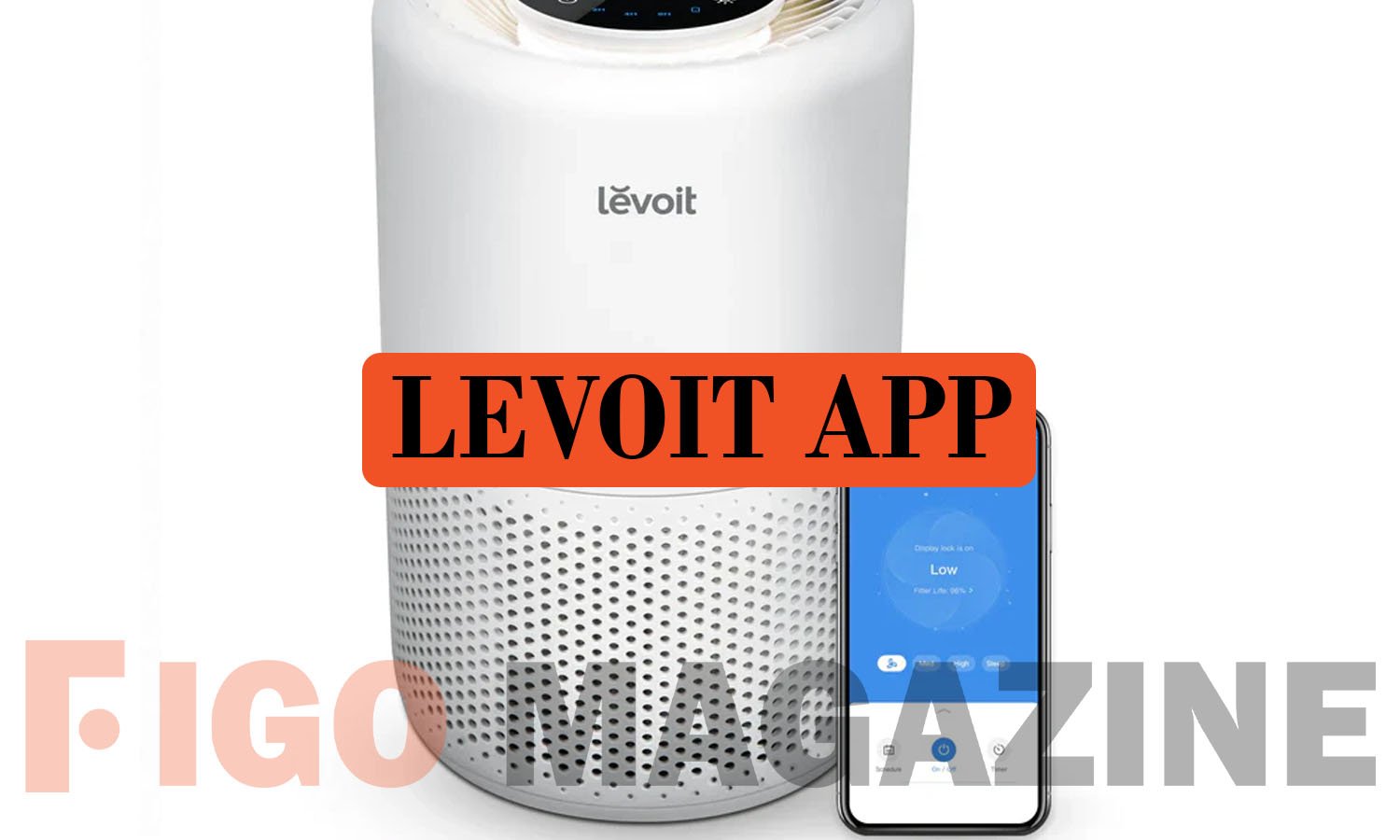
The Levoit app is actually called VeSync, and it is the official tool that connects your Levoit air purifier, humidifier, fan, or vacuum to your smartphone. Many shoppers search for “Levoit app” without realizing that Levoit and the VeSync app belong to the same parent company, Vesync Co., Ltd. This single app also supports other Vesync brands such as Etekcity and Cosori, which is why it carries the VeSync name instead of the Levoit name. Once installed, it lets you monitor air quality, set schedules, and control your device from anywhere with an internet connection. This guide explains what the app does, how to set it up, and what features make it worth using.
What Is the VeSync App?
The VeSync app is a free smart home application that controls compatible Levoit devices, along with other Vesync products. It works on both iOS and Android phones and connects to your home Wi-Fi to manage devices remotely. The app also pairs with Amazon Alexa and Google Assistant, so you can control your purifier or humidifier using voice commands.
Beyond basic device control, the VeSync app includes timers, custom schedules, and notifications about device status. It also allows users to sync data with other apps such as Apple Health, which adds a wellness angle beyond simple appliance control. This makes the app useful for people who want both convenience and visibility into their home environment.
How to Download and Set Up the App
Setting up the app takes only a few minutes if you follow the steps in order. Open the App Store on iPhone or Google Play Store on Android, search for “VeSync,” and download the official app published by Vesync. Once installed, create a free account using a real email address, since you will need it to verify your login and reset your password if needed.
After signing in, plug in your Levoit device and put it into pairing mode, usually by pressing and holding the Wi-Fi button until the light blinks. In the app, tap the plus icon, select your device category, and choose your exact model. The app will then prompt you to connect to your home network. It is important to use a 2.4 GHz Wi-Fi connection, since most Levoit devices do not support 5 GHz networks. Once connected, you can rename the device and start using it right away.
Key Features of the VeSync App
The VeSync app dashboard shows all your connected devices on one screen, with real-time air quality readings displayed using simple color indicators. If you have a smart air purifier, the app will display real-time air quality readings and historical trends, so improvement is visible over time. This helps users see how indoor air quality changes throughout the day rather than guessing based on how a room feels.
The app also includes practical tools like filter life tracking, which tells you when a replacement is needed, and customizable schedules that automate fan speed or humidity levels. Users can set timers, create customized schedules, and turn on auto mode for a wide range of electronics, as well as receive important notifications about device health. These features reduce the need to manually adjust settings throughout the day.
Compatible Devices and Smart Home Integration
The VeSync app supports a wide range of Levoit products, including air purifiers, humidifiers, tower fans, and select vacuums. It also works with smart home platforms like Home Assistant, which can control Levoit bulbs, fans, air purifiers, switches, outlets, humidifiers, and select air fryers once they are added to the VeSync app. This makes it a flexible option for users who already use other smart home systems.
Voice control adds another layer of convenience for daily use. Connecting a device to the free VeSync app allows users to set it up with Amazon Alexa or Google Assistant, giving complete control from the palm of their hand. This means you can adjust settings without even opening the app, simply by speaking a command.
Common Issues and Troubleshooting Tips
Most setup problems happen because of Wi-Fi or pairing mistakes rather than app bugs. Devices must connect to a 2.4 GHz network, since Levoit products do not work on 5 GHz bands, and the phone and device should stay close together during pairing for a stable Bluetooth connection. If a device disconnects after a Wi-Fi router change or power outage, simply put it back into pairing mode and reconnect it through the app.
Login issues are usually easy to resolve as well. If you forget your password, the app provides a “Forgot Password” option that sends a reset link to your registered email. Keeping the app updated also helps avoid compatibility issues, since regular updates improve performance and add support for newer devices.
Conclusion
The VeSync app, often searched for as the “Levoit app,” gives users an easy way to control air purifiers, humidifiers, and other smart devices from their phone. With features like real-time air quality monitoring, custom scheduling, and voice assistant support, it turns a basic appliance into a connected smart home device. Following the simple setup steps above ensures a smooth experience from the first connection onward.
Frequently Asked Questions
Is the Levoit app the same as the VeSync app?
Yes, Levoit devices are controlled through the VeSync app, since both brands belong to the same parent company, Vesync Co., Ltd.
Is the VeSync app free to use?
Yes, the app is free to download and use for controlling compatible Levoit devices and other Vesync products.
Why won’t my Levoit device connect to the app?
The most common cause is using a 5 GHz Wi-Fi network, since Levoit devices only support 2.4 GHz connections.
Can I control my Levoit device with Alexa or Google Assistant?
Yes, once connected through the VeSync app, devices can be linked to Amazon Alexa or Google Assistant for voice control.
What if I forget my VeSync app password?
Tap “Forgot Password” on the login screen, and the app will send a password reset link to your registered email address.
Discover your next great read at Figgo Magazine.